Introduction: The New Era of Remote Work
The remote work era is here to stay, and creating an effective budget-friendly home office has become essential. The good news? You don’t need a massive investment to build a professional workspace. This comprehensive guide shows how to design a budget-friendly home office that boosts productivity and supports your career—all while staying within a reasonable budget. We’ll explore practical solutions that prove you don’t need to sacrifice quality for affordability when creating your ideal workspace.”
👉 Related: The Ultimate Guide to Time Management for Remote Workers
Why Investing in Your Workspace Matters More Than Ever
The Psychology of a Dedicated Workspace
Research consistently shows that our environment significantly impacts our mental state and work performance. A well-designed budget-friendly home office does more than just provide a place to work—it creates psychological boundaries that help separate your professional and personal life. This mental separation is crucial for maintaining work-life balance in an era where the lines between home and office have blurred.
When you step into your dedicated budget-friendly home office, your brain receives clear signals that it’s time to focus and be productive. This mental trigger is absent when working from couches, beds, or kitchen tables, leading to decreased focus and increased stress. The investment you make in creating a proper budget-friendly home office pays dividends in improved mental clarity, better focus, and enhanced job satisfaction.
The Physical Benefits of Proper Ergonomics
Beyond mental benefits, a properly setup budget-friendly home ofRevierotects your physical health. Working from improvised spaces often leads to poor posture, back pain, eye strain, and repetitive stress injuries. By investing in basic ergonomic principles—even on a budget—you’re investing in your long-term health and productivity.
📌 Resource: Harvard Business Review: Creating Effective Remote Workspaces
Strategic Furniture Choices for Your Budget-Friendly Home Office
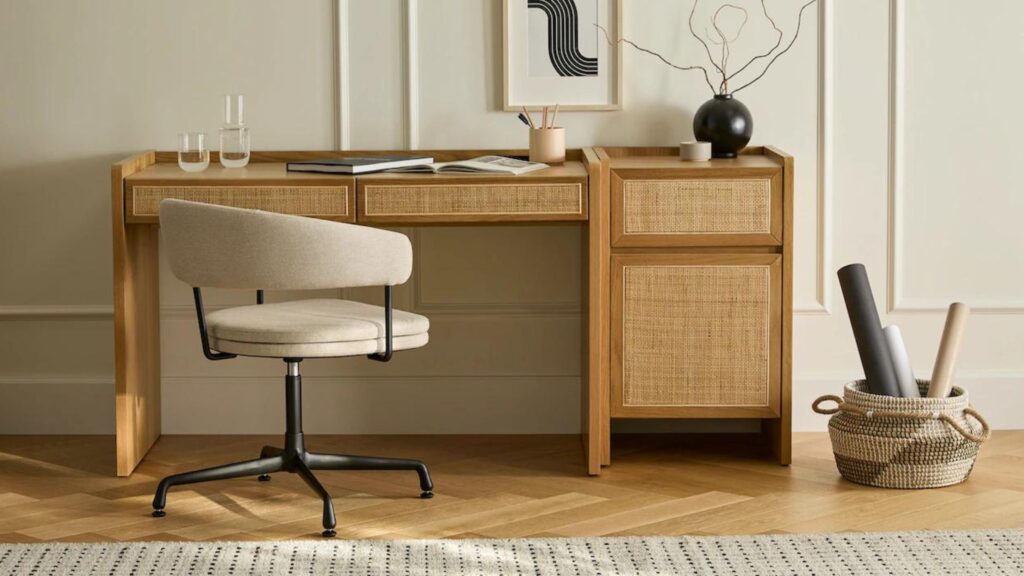
Smart Desk Solutions That Won't Break the Bank
Second-hand desks from Facebook Marketplace and thrift stores
· DIY options using affordable materials
· Space-saving folding designs for small spaces
Ergonomic Seating: Comfort Within Reach
Refurbished office chairs from liquidators
· Budget-friendly new options under $200
· DIY comfort solutions with cushions
Intelligent Storage and Organization
Wall-mounted pegboards for vertical storage
· Repurposed containers like mason jars
· Multi-functional furniture pieces
👉 Related: Build a Strong Online Portfolio and Land High-Paying Projects
Technology Solutions for the Modern Remote Worker
Computing Power on a Budget
Your budget-friendly home office needs reliable technology, but that doesn’t mean buying the latest and most expensive equipment:
Certified Refurbished Devices: Websites like Back Market, Apple Refurbished, and Dell Outlet offer like-new devices with warranties at significant discounts. A refurbished business-class laptop from Lenovo or Dell can provide better build quality and performance than a new budget model for your budget-friendly home office.
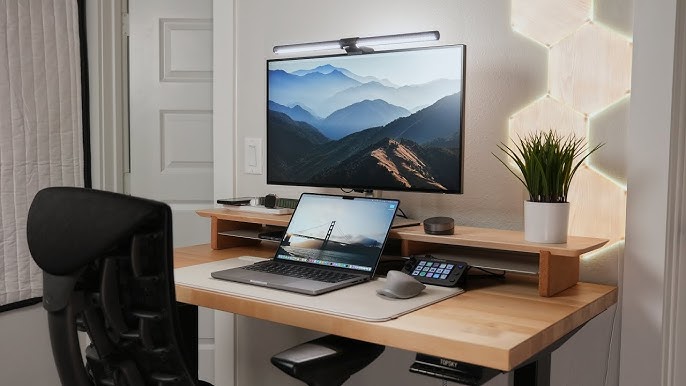
The Second Monitor Advantage: Adding a second monitor is one of the biggest productivity upgrades you can make to your budget-friendly home office. Look for used 1080p monitors from local electronics recyclers or Facebook Marketplace—they’re often available for $50-$80 and dramatically improve workflow.
Chromebooks and Lightweight Options: For cloud-based work, Chromebooks provide excellent value. Many models under $300 handle email, document editing, and video calls perfectly for your budget-friendly home office.
Professional Communication Equipment
Clear communication is essential in remote work, and your budget-friendly home office setup should support this:
Audio Solutions: The Fifine K669 USB microphone ($35) provides audio quality comparable to expensive broadcast microphones. For calls, basic wired earbuds with built-in mics work surprisingly well and cost under $20.
Video Improvements: Natural lighting is free and flattering. Position your desk to face a window for optimal lighting in your budget-friendly home office. For darker spaces, a simple ring light ($25) can dramatically improve your video presence.
Internet Reliability: A wired Ethernet connection provides more stable performance than WiFi. If wiring isn’t possible, consider a WiFi extender or mesh system to ensure reliable connectivity in your budget-friendly home office.
Essential Software and Productivity Tools
Your budget-friendly home office software stack can be both powerful and affordable:
Free Productivity Suites: Google Workspace and Microsoft 365 free tiers offer robust document creation and collaboration tools perfect for budget-friendly home office setups.
Project Management: Trello, Asana, and ClickUp all have excellent free versions that support individual users and small teams in your budget-friendly home office.
Communication Platforms: Slack, Microsoft Teams, and Zoom all offer free tiers that meet basic communication needs for your budget-friendly home office.
📌 Related: 8 Must-Have Apps for Managing Your Freelance Business
Design Principles for an Inspiring Workspace
Lighting: The Foundation of Atmosphere
Proper lighting transforms a budget-friendly home office from dull to dynamic:
Natural Light Optimization: Position your desk perpendicular to windows to reduce glare while maximizing natural light. This free light source improves mood and reduces eye strain in your budget-friendly home office.
Layered Artificial Lighting: Combine overhead lighting with task lighting for optimal visibility. An affordable LED desk lamp with adjustable color temperature ($25-40) can mimic natural light patterns throughout the day in your budget-friendly home office.
DIY Lighting Solutions: Smart bulbs from brands like Wyze and TP-Link offer programmable lighting for under $20 per bulb, allowing you to create perfect lighting scenarios for different tasks in your budget-friendly home office.
Decor That Motivates and Inspires
Your budget-friendly home office should reflect your personality while maintaining professionalism:
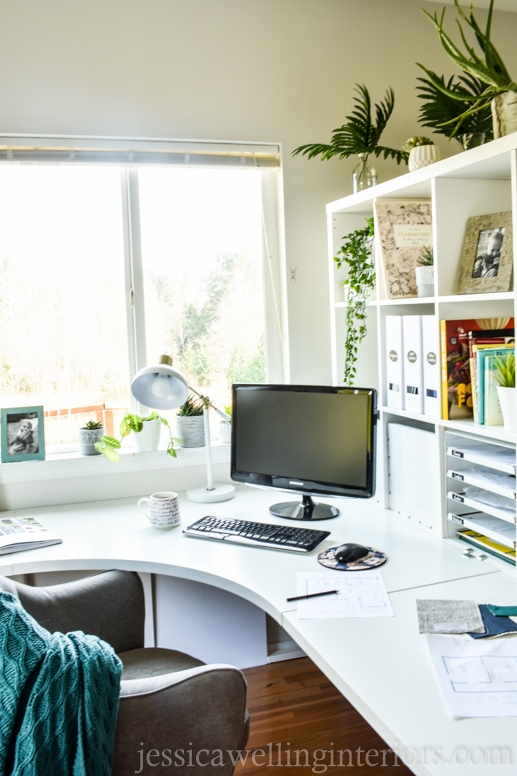
Plants for Life and Air Quality: Low-maintenance plants like snake plants, pothos, and ZZ plants cost under $20 and add life to your budget-friendly home office. They also improve air quality and provide visual breaks during long work sessions.
Personal Touches: Family photos, achievement certificates, and meaningful artwork make your budget-friendly home office feel uniquely yours. Create a gallery wall with affordable frames from discount stores.
Color Psychology: Use color strategically in your budget-friendly home office. Blue enhances focus, green promotes balance, and yellow stimulates creativity. You don’t need to paint the entire room—use accessories, artwork, or an accent wall.
Organizational Aesthetics
A clean budget-friendly home office promotes clear thinking:
COfficenagement: Use simple spiral wrap or raceways to tame cable clutter in your budget-friendly home office. This small detail makes a significant visual impact.
Minimalist Approach: Embrace minimalism in your budget-friendly home office by keeping only essential items on your desk. Use drawers and shelves for storage to maintain a clean, focused environment.
Functional Decor: Choose decorative items that also serve purposes in your budget-friendly home office. A beautiful tray can corral small items, while an attractive box can hide charging cables.
📌 Resource: Apartment Therapy: Best Indoor Plants for Home Offices
Productivity Strategies for Your Home Office
Establishing Effective Boundaries
Your budget-friendly home office needs clear boundaries to be effective:
Physical Separation: Even in small spaces, use room dividers, bookshelves, or visual cues to define your workspace. This mental separation is crucial for work-life balance in your budget-friendly home office.
Time Management: Set clear start and end times for your workday. Use digital calendars to block focus time and communicate your availability to household members in your budget-friendly home office.
Digital Boundaries: Use website blockers and focus apps during work hours to maintain productivity in your budget-friendly home office. The Forest app helps stay off phones, while Cold Turkey blocks distracting websites.
Ergonomic Best Practices
Protect your health while working in your budget-friendly home office:
Monitor Positioning: Your screen should be at eye level, about an arm’s length away. Use stacked books or a monitor stand to achieve proper height in your budget-friendly home office.
Chair Setup: Ensure your feet rest flat on the floor with knees at 90-degree angles. Use a small stool or box if needed. Your lower back should be supported in your budget-friendly home office chair.
Movement Breaks: Set reminders to stand, stretch, and move every 30 minutes. Consider a standing desk converter ($80-150) to alternate between sitting and standing in your budget-friendly home office.
Time Management Techniques
Maximize productivity in your budget-friendly home office:
Pomodoro Method: Work in focused 25-minute intervals followed by 5-minute breaks. This technique maintains high focus throughout the day in your budget-friendly home office.
Time Blocking: Schedule specific blocks for different types of work in your budget-friendly home office. Group similar tasks together to maintain workflow efficiency.
Priority Management: Use the Eisenhower Matrix to distinguish between urgent and important tasks in your budget-friendly home office. Focus on high-impact activities during your most productive hours.
👉 Related: Remote Career Path: Step-by-Step Guide to Work From Home Success
Final Thoughts: Building Your Ideal Workspace
Creating your perfect budget-friendly home office in 2025 is an achievable goal that requires thoughtful planning rather than large spending. By focusing on essential elements, making strategic choices, and implementing creative solutions, you can build a workspace that not only fits your budget but also enhances your professional performance and personal well-being.
Remember that the most effective budget-friendly home office is one that evolves with your needs. Start with the fundamentals—a comfortable chair, functional desk, and proper lighting—then gradually add elements that improve your workflow and enjoyment. Your workspace should be a reflection of your professional goals and personal style, proving that quality and affordability can coexist beautifully in your remote work journey.
Frequently Asked Questions (FAQ)
1. What is the absolute minimum I need for a functional home office?
The core essentials include a stable surface for your laptop,a supportive chair, reliable internet, and adequate lighting. Everything else can be added gradually as your budget allows for your budget-friendly home office.
2. How can I sound professional on calls without expensive equipment?
Position yourself in a quiet space,use a basic USB microphone ($30-50), and ensure good lighting. These simple steps will significantly improve your call quality in your budget-friendly home office.
3. What’s the most important ergonomic consideration for long work hours?
Proper chair height and lumbar support are crucial.Ensure your feet rest flat and your screen is at eye level to prevent strain in your budget-friendly home office.
4. Can I create an effective workspace in a studio apartment?
Absolutely!Use room dividers, foldable furniture, and vertical storage to create separation. A dedicated corner with proper organization can function perfectly as a budget-friendly home office in small spaces.
5. Where should I prioritize spending if I have a very limited budget?
Invest in a comfortable chair first,then proper lighting, then internet reliability. These three elements have the biggest impact on your comfort and productivity in a budget-friendly home office.
📌 Resource: forbes The Future of Remote Work in 2025 and Beyond